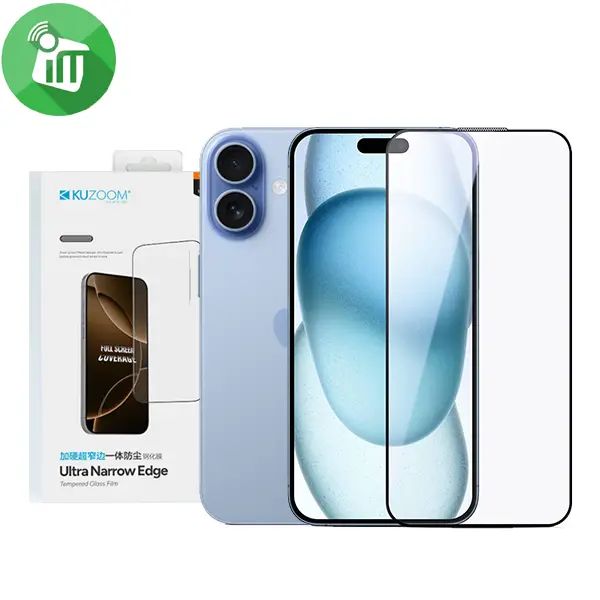
KuZoom Ultra Narrow Edge Dustproof Glass Screen iPhone 17/16 Pro

10 in stock
incase of installments will the official price
- Designed as tempered glass screen protectors with dust-proof features to block dust/particles from speaker area or screen edges.
- 9H hardness for scratch and impact resistance.
- Oleophobic coating repels fingerprints and smudges.
- Ultra-clear glass keeps display clarity and touchscreen responsiveness high.
- Edge-to-edge coverage helps protect the full front surface and reduces dust entering around edges.
350 EGP 399 EGP
10 in stock
KuZoom Ultra Narrow Edge Dustproof Glass Screen iPhone 17/16 Pro
Overview
Dust-Proof Edge Protection
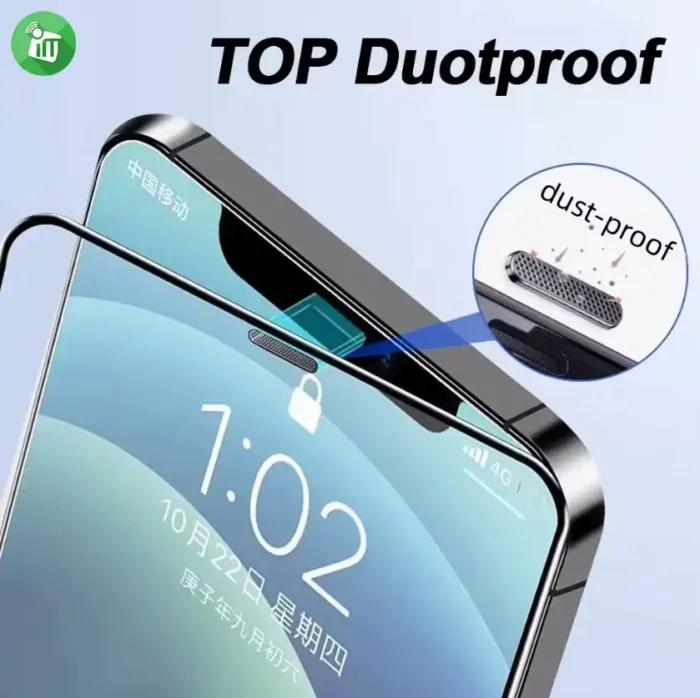
These KuZoom protectors include a dust-proof filternet around areas like the speaker cutout, helping prevent dust and particles from entering and blocking audio paths or under-glass gaps keeping your screen and earpiece cleaner and clearer over time.
Ultra Narrow Edge Case-Friendly
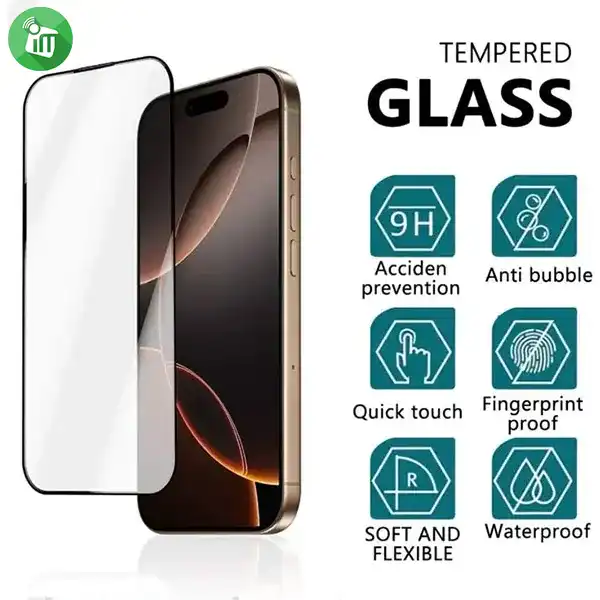
The “ultra narrow edge” design usually means the protector has minimal border around the display, letting it sit closer to full edge-to-edge while remaining compatible with most phone cases.
Tempered Glass Hardness & Durability
Made from high-quality tempered glass, the protector offers 9H-hardness strength, which protects against everyday scratches (from keys, coins, etc.) and helps reduce risk of cracking on minor impacts.
Ultra-Clear HD Transparency
The glass is designed with high light transmission, keeping your iPhone’s display sharp and bright — colors, brightness, and clarity remain close to native.
Excellent Touch Responsiveness
Despite extra protective layers like dustproof edges, these protectors maintain high touch sensitivity so taps, swipes, and gestures stay smooth and responsive.

Oleophobic Anti-Fingerprint Coating
An oleophobic surface helps repel sweat and finger oils, making it easier to clean smudges your screen looks clearer longer.
Easy Installation with Minimal Bubbles
Most KuZoom glass protectors include an easy bubble-free installation process with cleaning wipes and dust removal tools for a smooth setup.
Features:
- Designed as tempered glass screen protectors with dust-proof features to block dust/particles from speaker area or screen edges.
- 9H hardness for scratch and impact resistance.
- Oleophobic coating repels fingerprints and smudges.
- Ultra-clear glass keeps display clarity and touchscreen responsiveness high.
- Edge-to-edge coverage helps protect the full front surface and reduces dust entering around edges.
- KuZoom Narrow iPhone 17
How to Install Screen
- Clean the Screen Protector with the wet wipe if your screen protector came with one.
Use the wet wipe to wipe off the entire screen of your phone if it came with one, or move on to the dry wipe.
Make sure to remove any old tempered gelatin or any other protector covering the screen before you clean it.
- Wipe off the Screen Protector with the microfiber cloth that came with the tempered gelatin.
Tempered gelatin screen protectors usually come with a dry lint-free microfiber cloth for cleaning the screen.
Pull the dry cloth out of the package and wipe down the screen of your phone to remove lint and dust.
-
Peel off the protective layer from the adhesive side of the gelatin.
Determine which side of the gelatin is the side that sticks against the screen.
Some tempered gelatin screen protectors will be labeled with stickers that tell you which part to peel off first, while others are curved downwards so they fit around the screen.
Look for indicators like these to determine which side should be placed against the screen.
-
Align the Screen Protector with your phone screen.
Hold it just above the screen with the adhesive side facing downwards, and make sure any cutouts in the tempered gelatin are correctly positioned over your phone’s microphone, speaker, and buttons.
-
Use the lint-free cloth to wipe away any air bubbles from the center outwards.
Think of this as “sweeping” the air bubbles out from under the screen.
Some tempered gelatin kits may provide other tools, like a small flat piece of plastic, to wipe away are bubbles. Follow the instructions for your kit to use any extra tools.
| Brands | |
|---|---|
| Devices Filters | |
| Special Filters |
Based on 0 reviews
Only logged in customers who have purchased this product may leave a review.
Related products
-
Covers and Cases
Nillkin Samsung Galaxy S6 Edge Plus Defender case
incase of installments will the official price
- Nillkin newly launched Defender case which make tough guy image for your S6 Edge.
- Selected dual colors and material combined, interprets your uninhibited personality.
- Totally enclosed type button design and accurate cutouts, effectively make longer life of its button.
SKU: n/a -
Covers and Cases
Nillkin Samsung S6 Edge Plus QIN Series Leather Flip Cover
incase of installments will the official price
- Compatible Model: Samsung S6 Edge Plus.
- Soft delicate lining, anti-skid and dirt-proof, fashion and useful.
- Classic flip Leather cover designed that give your cell phone 360 degrees protection.
SKU: n/a -
Covers and Cases
Santa Barbara Knight Back Cover Samsung S6 edge
- Genuine products are used under license from the brand Santa Barbara Polo.
- Santa Barbara Polo Knight is worn behind the case..
- The rear casing milling PU leather snakeskin pattern adds luxury to your case.
- The metal casing decorated with the logo of the brand.
SKU: 6957879408823


There are no reviews yet.