
-27%


Game controller (joystick)

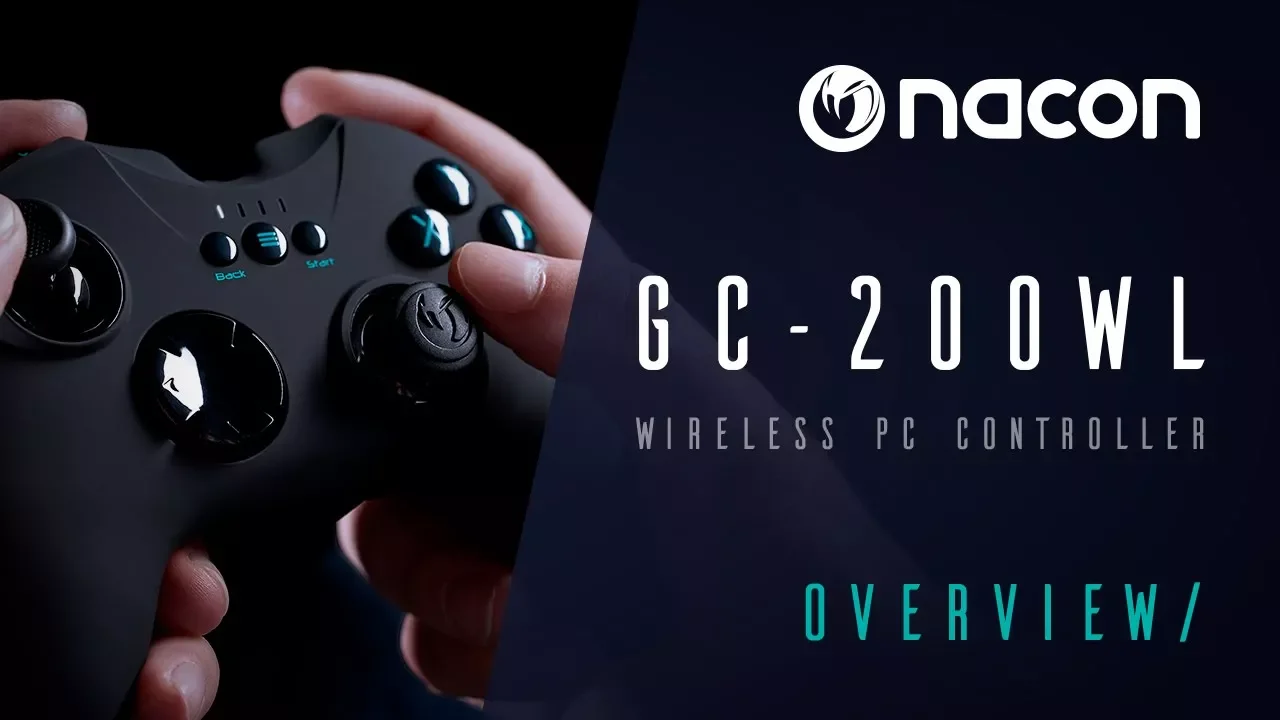
Nacon GC-200WL Wireless PC Gaming Controller
Availability:
Out of stock
incase of installments will the official price
- Wireless PC gaming controller with 2.4 GHz wireless technology (range approx. 10m).
- 2 analogueue sticks, 6 buttons, 2 triggers, 2 shoulder buttons, control cross, home button.
- 2 vibration motors 100% compatible with all PC games (XInput & DirectInput8).
- Soft-touch surface for perfect hold.
1,599 EGP 2,200 EGP
Out of stock
Nacon GC-200WL Wireless PC Gaming Controller
Overview
Charging your controller
The NACON GC-200WL wireless controller is equipped with an internal 700mAh battery and To charge this battery use the supplied Micro-USB cable and connect it to the socket on the top of the GC-200WL. Then plug it into one of your free USB ports on your PC and The 4 LEDs will light up to indicate that the charging process has started and will also show the charging level of the battery.1


First-time connection with the PC
The NACON GC-200WL is a so-called Plug n Play device. This means that the necessary driver software should be installed automatically if you connect it to your computer for the first time. Here are the steps in detail:
- Make sure your that the battery of your GC-200WL controller is sufficiently charged.
- Turn on your computer, wait for it to boot and log in to your Windows® desktop.
- Look for an unused USB slot on your PC and plug in the USB dongle of your NACON GC-200WL controller.
- Windows® will detect the new device and after a few seconds it will start the installation process for the appropriate drivers.
- This is shown by a small icon in the taskbar.
Features:
- Wireless PC gaming controller with 2.4 GHz wireless technology (range approx. 10m).
- 2 analogueue sticks, 6 buttons, 2 triggers, 2 shoulder buttons, control cross, home button.
- 2 vibration motors 100% compatible with all PC games (XInput & DirectInput8).
- Soft-touch surface for perfect hold.
- GC-200WL Wireless PC.
| Brands | |
|---|---|
| Special Filters | |
| Devices Filters |
CONNECTIVITY |
|
| Connection | Detachable micro-USB/USB cable |
| Wireless | Yes |
| Cable included | Yes |
| Software | No |
| Range (m) | 10 |
ERGONOMICS |
|
| Joystick position | Asymmetric |
| Profiles | No |
| Programmable buttons | No |
| LED player indicator | No |
| GENERAL INFORMATION | |
| Compatibilité | Windows |
POWER |
|
| Battery life | 15 h |
REFERENCE |
|
| Sku | PCGC-200WL |
Based on 0 reviews
Only logged in customers who have purchased this product may leave a review.
Accessories for this product
-
Game controller (joystick)New
iPega PG-9218 Gold Soldier Bluetooth 2.4G Controller Gamepad
-12%Quick View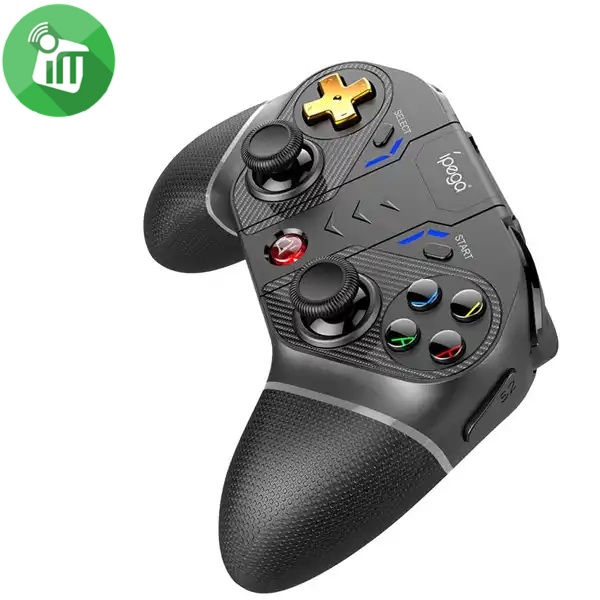 Game controller (joystick)
iPega PG-9218 Gold Soldier Bluetooth 2.4G Controller Gamepad
- Plug & Play: Connect & play setup, easy to operate.
- Compatibility: Android (Smartphones/Tablets), iOS (iPhone/iPad), Windows PC, P4, P3, N-S.
- Cloud Gaming: Supports select streaming cloud gaming platforms.
- Phone Holder: Integrated telescopic bracket (Stretches 50–80mm).
- Lighting: A/B/X/Y crystal buttons with colorful backlights.
- Wireless Receiver: Includes a 2.4G wireless receiver for devices without Bluetooth.
- In the Box: Gamepad x1, 2.4G Wireless Dongle x1, User Manual x1, Type-C USB Cable x1.
SKU: 6974363719210 -
Game controller (joystick)New
iPega PG-4023 RGB Wireless Bluetooth Controller for PS4/PS3/PC/ios
-12%Quick View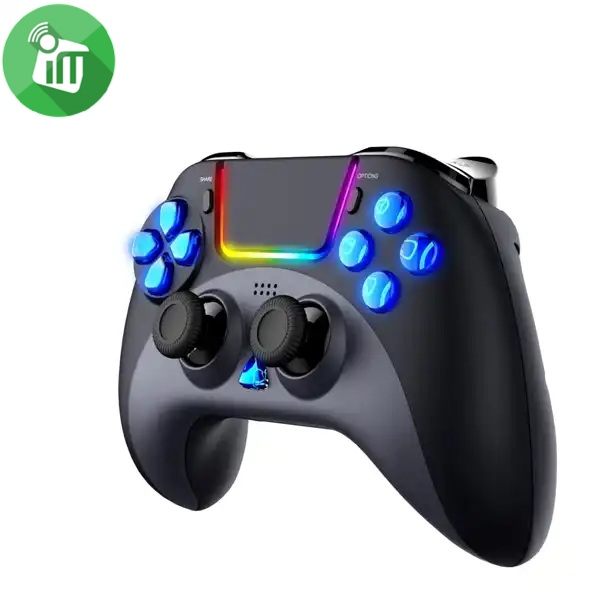 Game controller (joystick)
iPega PG-4023 RGB Wireless Bluetooth Controller for PS4/PS3/PC/ios
- Compatibility: Works with P4 / P4 Pro / P4 Slim / P3 / PC / iOS (Plug & Play, no drivers required).
- Connection Modes:
- Wireless: P4, iOS.
- Wired: P4, P3, Windows PC.
- Buttons & Customization: Includes 2 programmable back buttons.
- Performance & Effects:
- Dual-motor vibration.
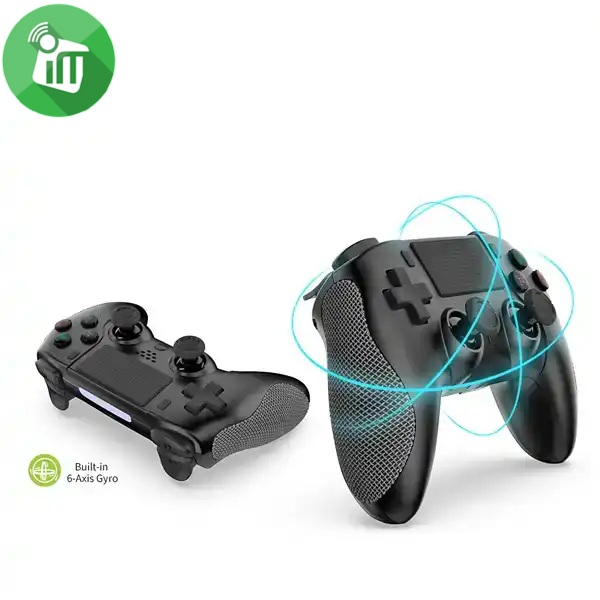
- 6-axis gyroscope sensor.
- Colorful RGB lighting effects.
- Audio: Built-in speaker and 3.5mm stereo headset jack.
- In the Box: Gamepad x1, User Manual x1, Type-C Cable x1.
SKU: 6987245440232 -
-
Game controller (joystick)
Xbox Series X|S Wireless Controller (Special Edition)
incase of installments will the official price
- Capture and share screenshots, video clips, and gameplay moments
- Textured back case, Share button, button mapping support
- Special Edition design, hybrid D-pad, textured triggers, textured bumpers
- Works with Xbox Series X|S, Xbox One, Windows PC, Android, and iOS compatible devices
- Textured triggers, bumpers, and back case help improve grip and comfort during long gameplay sessions
- Powered by AA batteries with up to 40 hours of battery life depending on usage, settings, and accessories
SKU: n/a -
Hands Free Offers, Headset, Top Seller
Logitech H390 Wired USB-C Computer Headset With Noise Cancelling Mic
-12%Quick View Hands Free Offers, Headset, Top Seller
Logitech H390 Wired USB-C Computer Headset With Noise Cancelling Mic
incase of installments will the official price
24 months warranty
- No additional software required
- Padded headband and earcups
- Logitech headset delivers pure digital sound
- Adjustable noise-canceling microphone
- Easy audio control Works with any Mac or PC
- Logitech clearchat headset offers plug-and-play simplicity
- Advanced digital USB, connections USB compatible (1.1 and 2.0)
- Experience clear internet calls with simple plug-and-play USB-C connection and a noise-canceling mic
SKU: 5099206132733 -
Headset
Onikuma K1B PRO Surround Sound LED Gaming Wired Headset
incase of installments will the official price
- Durable and Noise Reduction Microphone
- The long flexible gaming mic is highly sensitive and durable
- Multifunctional in-line Remote Control for sound and Mic
- high-precision 50mm driver, bring you a vivid sound field
- Fits most of devices with 3.5mm headphone/microphone port
- Uses super soft Over-ear pads, which is more comfortable for long-time wear
- It is suitable for computers, and laptops.For PS4, new xbox one, mobile phone, iPhone, iPad, mp3, mp4, the 2 to 1 splitter line is need
SKU: 6972470560190 -
Charging Tools
Yesido CG11E 65W Smart Charging 15 IN 1 Laptop Power Adapter
incase of installments will the official price
- AC Input: 100-240V, 50 – 60Hz
- Output Voltage: 18.5V-20V
- Power: 65W Max
- Portable and convenient
- Compact and lightweight, perfect for travel use.
- With high efficiency and true Voltage output automatically
- Our Wall Charger Adapter supports max 65W fast charging
- It can charge mobile phones, tablets, and other devices
- With 14 designs of DC output, suitable for most kinds of laptops
SKU: 6942314407776 -
Charging Tools
65W Universal AC Laptop Adapter Auto Switch (12 tips)
incase of installments will the official price
- AC Input: 100-240V, 50 – 60Hz
- Output current of DC: 8.5V 3.5A, 19V 3.16A, 19.5V 3.33A, 19V 3.42A, 20V 3.25A
- Power: 65W Max
- Portable and convenient
- Compact and lightweight, perfect for travel use.
- With high efficiency and true Voltage output automatically
- It includes 12 connectors for a user to change voltage easily
- Different voltages suitable for most laptops/notebook computers
- Auto-reset to lowest voltage (+15V) after current interruption to protect your laptop/notebook computer
SKU: 60106261


Popular essentials for your gaming setup
-
-
3D VR Glasses, Game controller (joystick)
Meta Quest 3S 256GB Mixed Reality All-in-One VR Headset
-14%Quick View 3D VR Glasses, Game controller (joystick)
Meta Quest 3S 256GB Mixed Reality All-in-One VR Headset
incase of installments will the official price
- 256GB storage – ideal for a growing VR library
- Standalone all-in-one VR headset – no PC or console required
- Snapdragon XR2 Gen 2 chipset – fast, smooth performance
- Power adapter comes with 1-meter USB-C charging and data cable
- Meta Quest 3S transforms your reality so you can do everything you love in new ways. Take a look inside
- Mixed Reality Passthrough for immersive hybrid experiences Touch Plus Controllers for precise hand tracking
SKU: 815820025290 -
3D VR Glasses, Game controller (joystick)
Meta Quest 3S 128GB Mixed Reality All-in-One VR Headset
-14%Quick View3D VR Glasses, Game controller (joystick)Meta Quest 3S 128GB Mixed Reality All-in-One VR Headset
incase of installments will the official price
- 128GB storage – ideal for a growing VR library
- Standalone all-in-one VR headset – no PC or console required
- Snapdragon XR2 Gen 2 chipset – fast, smooth performance
- Power adapter comes with 1-meter USB-C charging and data cable
- Meta Quest 3S transforms your reality so you can do everything you love in new ways. Take a look inside
- Mixed Reality Passthrough for immersive hybrid experiences Touch Plus Controllers for precise hand tracking
SKU: 815820025238
There are no reviews yet.