

iScreen Glass 5D Full Glue Privacy Screen Protector Samsung Galaxy A55

10 in stock
- Made of Glass
- Dustproof
- 2.5D edging craft, smooth and safe
- Easy to apply, bubble-free
250 EGP 285 EGP
10 in stock
iScreen Glass 5D Full Glue Privacy Screen Protector Samsung Galaxy A55
Overview
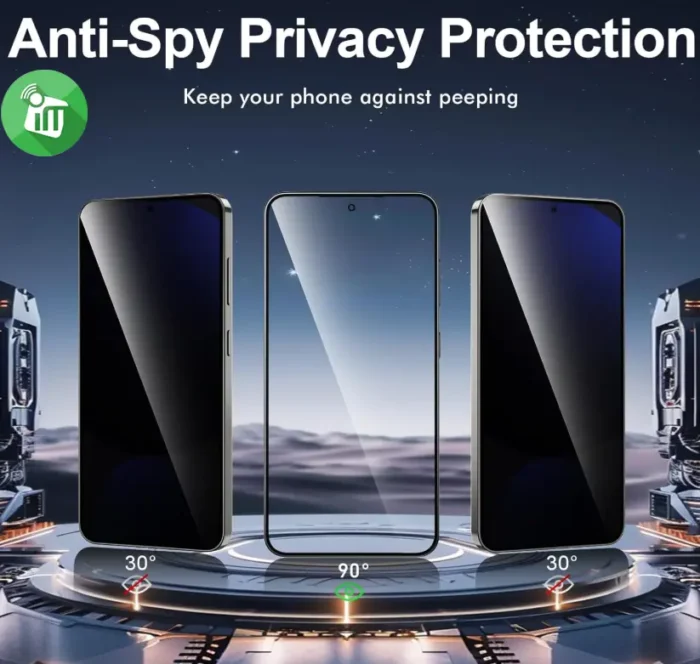
Anti-Spy Privacy Protection
The screen protector adopts super microlouver optical technology, can effectively protect the information on the screen on trade secret and personal privacy from both left and right sides.
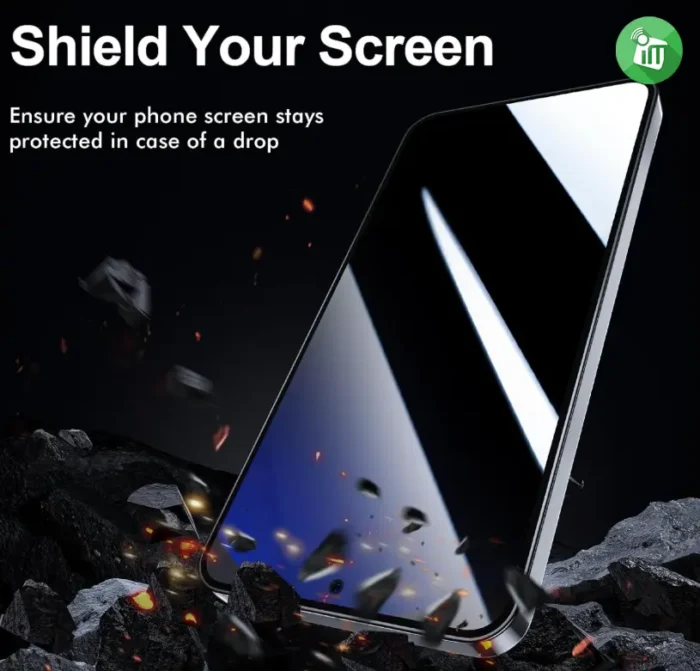
Improved Compression Structure
layers reinforced compression structure diamond reinforced layer provides extra protection against dust, scratches, keys and other sharp objects. If you drop your phone, the tempered film can prevent the screen from breaking, saving you money to replace the screen.
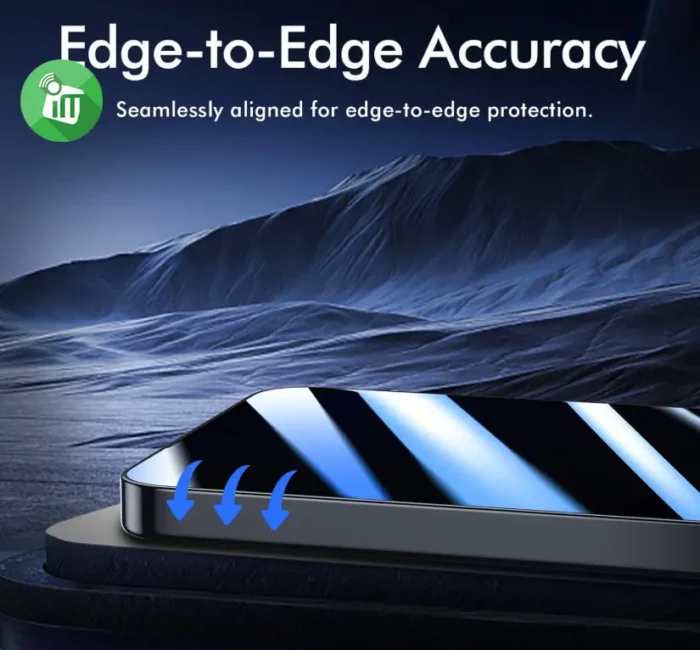
HD Light Transmission
Up to 100% light transmission, clear, no shielding, high definition to maintain the true color of the screen, do not hurt the eyes, play without obstacles, smooth touch, smooth and sensitive, play the game more smoothly.
High Sensitivity & Responsiveness
The durable yet ultra thin tempered glass screen protector allows you to use your phone more smoothly without malfunction. These quality privacy glass screen protectors are super tough, anti-maintain your screen’s original touchscreen sensitivity without compromising the high-definition viewing experience.
High definition
The film has a high light transmission. With high light transmission and low light reflection, the film can provide you with a high definition screen just as usual.
Features:
- Made of Glass
- Dustproof
- 2.5D edging craft, smooth and safe
- Easy to apply, bubble-free
- iScreen Glass Galaxy A55
How to Install Screen Clean the Screen Protector with the wet wipe if your screen protector came with one.
Use the wet wipe to wipe off the entire screen of your phone if it came with one, or move on to the dry wipe. Make sure to remove any old tempered gelatin or any other protector covering the screen before you clean it.
-
Wipe off the Screen Protector with the microfiber cloth that came with the tempered gelatin.
Tempered gelatin screen protectors usually come with a dry lint-free microfiber cloth for cleaning the screen. Pull the dry cloth out of the package and wipe down the screen of your phone to remove lint and dust. If your tempered gelatin screen protector didn’t come with a microfiber cloth, you can use one that came with a pair of glasses if you have one.
-
Peel off the protective layer from the adhesive side of the gelatin.
Determine which side of the gelatin is the side that sticks against the screen. Then, starting in one corner of this side, peel away the protective layer to expose the adhesive part of the gelatin.
Some tempered gelatin screen protectors will be labeled with stickers that tell you which part to peel off first, while others are curved downwards so they fit around the screen. Look for indicators like these to determine which side should be placed against the screen.
-
Align the Screen Protector with your phone screen.
Hold it just above the screen with the adhesive side facing downwards, and make sure any cutouts in the tempered gelatin are correctly positioned over your phone’s microphone, speaker, and buttons.
-
Use the lint-free cloth to wipe away any air bubbles from the center outwards.
Think of this as “sweeping” the air bubbles out from under the screen.
Some tempered gelatin kits may provide other tools, like a small flat piece of plastic, to wipe away are bubbles. Follow the instructions for your kit to use any additional tools.
| Brands | |
|---|---|
| Special Filters | |
| Devices Filters |
Based on 0 reviews
Only logged in customers who have purchased this product may leave a review.
Find cases, protection and everyday essentials for Samsung Galaxy A55.
Goes well with this product
Headphones
-
EarPhone, Hands Free Offers, Top Seller
Sony WF-C500 Truly Wireless Headphones
incase of installments will the official price
- DSEE™ restores high frequency sound and fine fade-out sound lost in compression
- Fine-tune your sound using the Sony | Headphones Connect app
- 10hr long battery life, total 20hr with charging case
- Splash-proof and sweat-proof with an IPX4 rating
- Optional use of one earbud only
SKU: n/aSave 2,250 EGP -
Headset
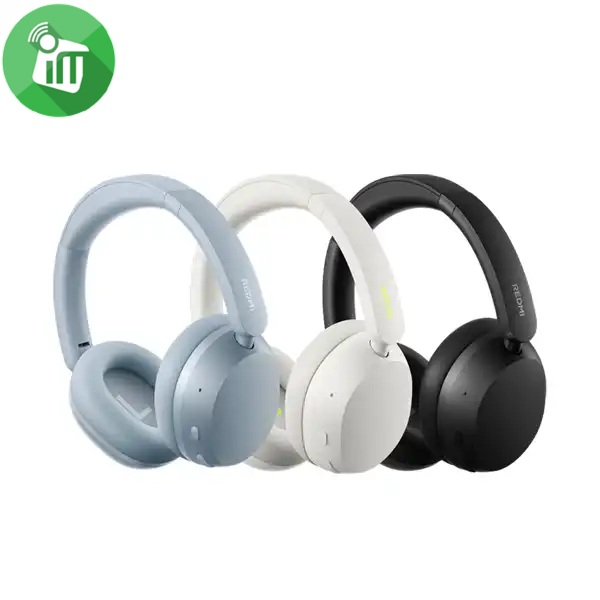
Xiaomi Redmi Neo ANC Wireless Over-Ear Headphones
incase of installments will the official price
- 40mm Dynamic Driver — Powerful Bass
- Up to 42dB Active Noise Cancellation (ANC)
- 72 Hours Long-Lasting Battery Life
- Hi-Res Audio Certified for Wired Listening
- Triple-Mic AI Noise Reduction for Calls
- Dual-Device Smart Connection
- Fast Pair
- Wireless Headphones
- Bluetooth Connectivity
SKU: n/aSave 770 EGP -
EarPhone
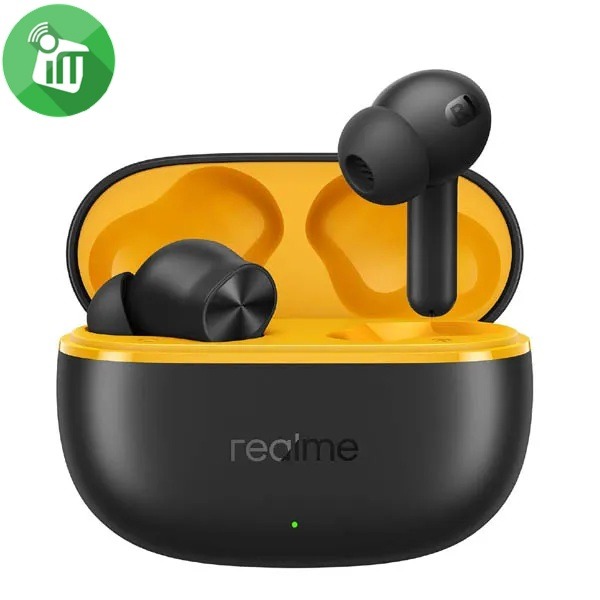
Realme Buds T200 Lite Wireless Earbuds
incase of installments will the official price
- IPX4 water resistance
- Dual Device Connection || Google Fast Pair
- Connect and switch between two devices seamlessly
- Battery retains 80% health after 500 charges
- 12.4mm dynamic bass driver, quad-mic AI noise cancellation
- Smooth audio-visual sync for gaming and video streaming
- 48 Hours Total Playback || 10mins Quick Charge for 5 Hrs Playback
SKU: 6941764454521Save 251 EGP -
Headset
Belkin SoundForm Adapt Wireless Over-Ear Headset
incase of installments will the official price
- Bluetooth 5.2 connects easily to devices within 30 ft / 10 m
- USB-C port for fast charging and wired audio input
- 3.5 mm audio input
- Multipoint two-device connection for seamless switching between audio sources
- 40 mm drivers for high-fidelity sound
- Boom microphone with Environmental Noise Cancellation (ENC), secondary microphones on ear cups for clear voice reception
- More than a work week’s battery life with 65 hours of playtime
- Easy, intuitive touch controls
- The product is made with recycled plastic
- 100% plastic-free packaging
- Detachable ear cushion for cleaning
- Flip up to mute the bottom microphone
SKU: 745883926343Save 616 EGP -
EarPhone
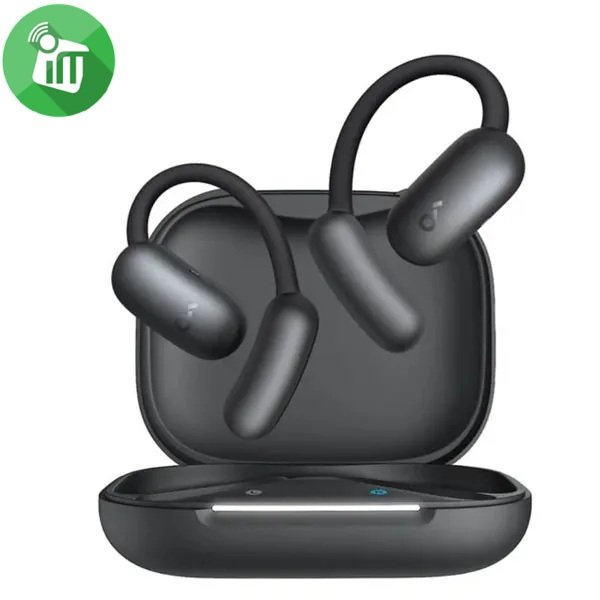
Anker A3874 Soundcore AeroFit 2 AI Open-Ear Wireless Earbuds
incase of installments will the official price
- Free Al Translation: Supports more than 100 languages
- Open-ear headphones offer all-day comfort with soft materials
- A non-invasive, double-curved design, keeping you attuned to the world
- A Perfect Fit for Every Ear soundcore’s innovative 4-level adjustable ear hooks
- Close to the Ear Canal for Deeper Bass: Adjustable ear hooks bring the sound closer
- Delivering the bass you crave. With a maximum boost of 7.5dB over non-adjustable hooks
SKU: 194644242114Save 1,751 EGP -
Headset
Belkin SoundForm Surround Wireless Over-Ear Headset
incase of installments will the official price
- 60 hours of battery life
- Built-in microphone with Clear Call Quality technology
- Multipoint 2-device connection for seamless switching between audio sources
- Belkin Signature Sound delivers full, balanced high-fidelity audio
- 3.5mm and USB-C cables included to connect to any modern audio source
- USB-C port for fast charging
- Comfortable, foldable, and adjustable design
- Bluetooth 5.4 connects easily to devices within 30 ft./10m
- Quality assured with 150 performance and safety tests
- Product is made with recycled plastic.
SKU: n/aSave 351 EGP -
EarPhone
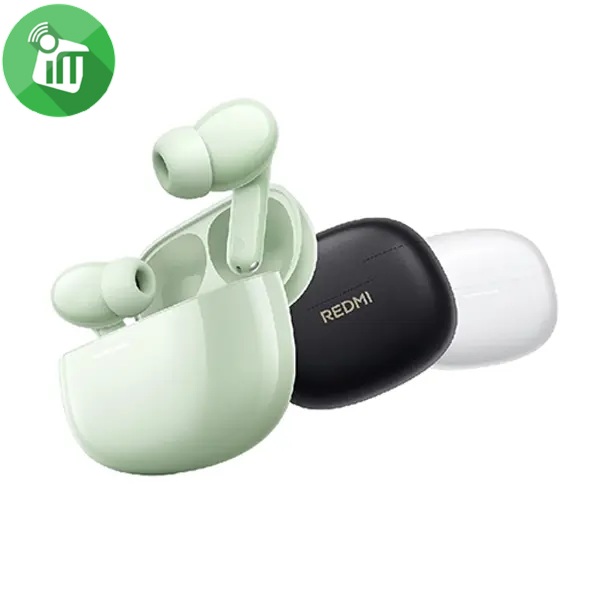
Xiaomi Redmi Buds 8 Wireless Earbuds
incase of installments will the official price
- AI noise reduction technology with dual microphones for clear calls
- Extended battery life of up to 37 hours when using the charging case .
- Customizable EQ settings for each track and each mood .
- Large 14.2mm sound driver with a titanium diaphragm for superior clarity
SKU: n/aSave 560 EGP -
Headset
JBL TUNE 530BT Wireless On-Ear Headphones
incase of installments will the official price
- Deliver JBL Pure Bass Sound, up to 76 hours of battery life
- Stream high-quality audio from any device on the move, at work or at home
- Seamless Bluetooth® switching between devices. Lightweight and foldable
- Styled for all-day comfort, they’re made to move with you wherever life goes
- Switch from listening on your tablet to your phone and from wired to wireless instantly via multi-point connection
- powering your music with extra bounce and boom, just like it powers the most famous music venues around the world
SKU: n/aSave 626 EGP




More cases for this model
-
Covers and Cases
Nillkin Nature TPU Pro Magnetic Series Case Samsung Galaxy A55 5G
incase of installments will the official price
- Solid polycarbonate on the back.
- Soft TPU sides Perfect phone protection.
- Fully accessible buttons and connectors.
- Made exactly to measure the phone.
- Precise design of every small detail
- High quality TPU and PC plastic materials, easy to remove and not scratch the device.
SKU: 6902048276994Save 121 EGP -
Covers and Cases
Nillkin Super Frosted shield Pro Case Samsung Galaxy A55 5G
incase of installments will the official price
- The matte cover of this Nillkin case was made by high Precision.
- Nillkin Frosted is Rigid enough to offer great protection, yet Flexible Enough not to break off.
- The surface is Water-resistant and Dustproof.
- it does not collect Fingerprint smudges or skid marks.
- Bumpers on all four corners to protect your device from shocks
- Scratch Resistant as actual Super Frosted Cases TPU Soft Edge
- Anti-Seismic & Fall Resist
SKU: n/aSave 100 EGP -
Covers and Cases
j-Case Jeff Series Silicone Full Case Samsung Galaxy A55 5G
incase of installments will the official price
- Easy to Clean
- Simple, stylish but not normal
- Environmental protection material
- Shockproof and scratch-resistant performance
- Slim and sleek design adds no burden to your phone.
- Full protection design, provide full protection for your device
- Made of real liquid silicone, anti-dust silicone cases, gives durable
SKU: n/aSave 45 EGP -
Covers and Cases
Xundd Beatle Series Lens Protection Case Samsung Galaxy A55 5G
incase of installments will the official price
- With SGS certificate.
- Perfectly fits the shape
- Durable and lightweight
- Made of high-quality Material
- Protect your from dust, scratching and shock
- Fashion design, easy to put on and easy to take off
- Transparent back plate shows the phone’s original charm.
- Higher lip to ensure front screen and back camera protection.
- Air cushion corners effectively buffer the damage of shock, impact, and drop
SKU: 96933925148663Save 107 EGP -
Covers and Cases
j-Case TPU Case Samsung Galaxy A55 5G
incase of installments will the official price
- Perfectly fits the shape
- Made of high-quality Material
- Protect your from dust, scratching and shock
- Fashion design, easy to put on and easy to take off
- Back plate shows the phone’s original charm.
- Higher lip to ensure front screen and back camera protection.
- protect your Phone from daily scratches like keys, coins and other stuff
-
Non-toxic and tough, also with better bending fatigue resistance than ordinary case
SKU: 60106490Save 40 EGP -
Covers and Cases
Nillkin Qin Pro Series Leather Case Samsung Galaxy A55 5G
incase of installments will the official price
- Slim and light with no added bulk.
- Sensitive button covers allow responsive presses.
- Built-in two card slots, convenient and practical.
- Protect your phone from drops, bumps and other daily damages.
- Raised lip and slider for the lens, well protect the lens from scratches.
- Plastic + TPU materials coated with PU leather, durable to use.
SKU: n/aSave 151 EGP -
Covers and Cases
Nillkin Super Frosted Shield Pro Magnetic Case Samsung Galaxy A55 5G
-23%Quick View Covers and Cases
Nillkin Super Frosted Shield Pro Magnetic Case Samsung Galaxy A55 5G
incase of installments will the official price
- Dual materials of PC and TPU, which upgrade the protection
- PC rigidity is good enough not to transfer and break off easily.
- with comfortable sense of touch and elegant appearance.
- Processed by the latest dustless matte UV painting technology
- Open mold according to real mobile phone with precise function holes
- Enhance the fall resistance with TPU soft borders and bumpers on four corners
SKU: 6902048276895Save 151 EGP


More screen protectors for this model
-
Screen Protectors
KingKong Full Glue AG Matte Privacy Glass Screen Samsung Galaxy A55 5G
-33%Quick View Screen Protectors
KingKong Full Glue AG Matte Privacy Glass Screen Samsung Galaxy A55 5G
incase of installments will the official price
- Compatibility Screen Protector Guard Compatible with Samsung Galaxy A55 5G
- Tough to Crack Shield your Mobile with a Protector featuring 9H Hardness
- 9H Hardness- Surface hardness is super scratch-resistant, wear-resistant, explosion-proof, waterproof, oil-proof.
- Arc design Reaching an arc edge of 2.5D or more, making the
fingers and hands feel comfortable and never scratching. - High-Transparency Provide you High-definition Clear Viewing.
SKU: 60114136Save 100 EGP -
Screen Protectors
X.One Extreme Shock Eliminator (4th Generation) Screen Protector For Samsung Galaxy A55 5G
-12%Quick View Screen Protectors
X.One Extreme Shock Eliminator (4th Generation) Screen Protector For Samsung Galaxy A55 5G
incase of installments will the official price
- 7H Surface Coating
- Fingerprint Resistance
- 6X Anti Shock
- Air Releasing Technology
- Ultra HD
- Lotusfx Oleophobic Coating
- Extreme 7H
- Front screen protector
SKU: 60113139Save 56 EGP -
Screen Protectors
KuZoom 9D HD Full Cover Glass Screen Samsung Galaxy A55 5G
incase of installments will the official price
- It is designed to give you maximum protection to your phone against dust and scratches.
- super explosion-proof and scratch-proof precision-engraved explosion-proof threads
- Smooth surface Even the sides of screen film feels smoothly.
- Automatic Exhaust Bubble, Anti Glare and Anti Radiation
- High Sensitivity to Touch with HD Clarity & High Definition with 99.9% Light Transmission
- Optical-grade light-transmitting glass
- Aviation explosion-proof alloy
- Easy to deal with daily bumps
- Separate design does not block the flash.
SKU: 60111913Save 35 EGP -
Screen Protectors
Nillkin CP+ Pro Tempered Glass Screen Protector Samsung Galaxy A55 5G
-23%Quick View Screen Protectors
Nillkin CP+ Pro Tempered Glass Screen Protector Samsung Galaxy A55 5G
incase of installments will the official price
- High light transmittance, return the original color of the screen, offering HD visual experience
- 9H hardness, super anti-scratch, and secure explosion-proof function
- 0.33mm thickness and high sensitivity provides perfect touch experience
- Featuring anti-fingerprint, oil-resistant, anti-glare function
- Precise CNC cutting technology
- 2.5D edging craft, smooth and safe
SKU: 6902048279155Save 121 EGP -
Screen Protectors
Nillkin H+ Pro Anti-Explosion Glass Screen Protector Samsung Galaxy A55 5G
-30%Quick View Screen Protectors
Nillkin H+ Pro Anti-Explosion Glass Screen Protector Samsung Galaxy A55 5G
incase of installments will the official price
- 0.2mm with precise CNC cutting technology
- Anti-fingerprint, oil rub resistance and Effectively Preventing and Filtering Ultraviolet ray
- Imported AGC glass material and HARVES Nanotechnology
- super high Transmittance and high Restoring the original color of screen
- supports Anti-glare coating to prevent glare Derivative
- Tempered glass, its Hardness up to 9H Scratch-resistant flowers and blowout
SKU: 6902048279162Save 200 EGP

Explore more accessories
Screen protectors
View all →The selected products are already shown in the recommendations. Explore the category for more choices.
Browse all screen protectors for this model →

Browse all products for Samsung Galaxy A55 →
Goes well with this product
Headphones
More cases for this model
View all → Nillkin Nature TPU Pro Magnetic Series Case Samsung Galaxy A55 5G399 EGP
  Nillkin Super Frosted shield Pro Case Samsung Galaxy A55 5G399 EGP
  j-Case Jeff Series Silicone Full Case Samsung Galaxy A55 5G150 EGP
  Xundd Beatle Series Lens Protection Case Samsung Galaxy A55 5G250 EGP
 More screen protectors for this model
View all →KingKong Full Glue AG Matte Privacy Glass Screen Samsung Galaxy A55 5G199 EGP X.One Extreme Shock Eliminator (4th Generation) Screen Protector For Samsung Galaxy A55 5G399 EGP  KuZoom 9D HD Full Cover Glass Screen Samsung Galaxy A55 5G250 EGP Nillkin CP+ Pro Tempered Glass Screen Protector Samsung Galaxy A55 5G399 EGP
There are no reviews yet.