
-25%


Exclusive Products, Sticker & Skins

Decal sticker For MacBook Pro / Air 13 inch
incase of installments will the official price
- Easy application.
- Dust-proof, Waterproof, Oil-proof.
- Super-thin (0.09 mm) and the image integrate with the logo of apple devices.
- Precision-cut, perfect fit; give your MacBook Pro / Air 13 inch a new impressive looking.
- Can be easily removed and leaves no sticky residue, will not damage surfaces.
- Printed on the best vinyl material with long lasting and never fades.
- This is only a decal which protects the design area and it is NOT a full skin.
299 EGP 399 EGP
Decal sticker For MacBook Pro / Air 13 inch
Overview
Protection with Style, Make your Device Unique and Cool
Easy on, Easy off
Our skin stickers are backed by patented repositionable removable adhesive and specials air release channels for a guaranteed bubble free application, NO tools are needed to install our skins “You simply lay the skin over the housing of your device, Typical installation time of a skin is only a couple minutes.

Precision fit
Our skin stickers are designed to precision fit your device,no need to cut.

High definition 2400 DPI
Our skin stickers are printed by 8 color-high precision printing process with eco-friendly ink
No Scratches
Our skin stickers protect your precious devices with a durable anti-scratch SCRATCH waterproof.

Features:
- ♦ Easy application.
- ♦ Dust-proof, Waterproof, Oil-proof.
- ♦ Super-thin (0.09 mm) and the image integrate with the logo of apple devices.
- ♦ Precision-cut, perfect fit; give your MacBook Pro / Air 13 inch a new impressive looking.
- ♦ Can be easily removed and leaves no sticky residue, will not damage surfaces.
- ♦ Printed on the best vinyl material with long lasting and never fades.
- ♦ This is only a decal which protects the design area and it is NOT a full skin.
- Decal sticker For MacBook Pro / Air 13 inch

Step-by-step application instructions :
- Step 1: Grab your MacBook are decal Important Be sure to clean the surface of your MacBook before applying decal.
- Step 2: Remove the frame from the decal.
- Step 3: Lay the decal “right side-up” on a flat surface. To adhere the transfer film, firmly smooth the surface of the deal with a card (for example, a credit card works just fine). Pay special attention to the decal edges
- Step 4:If you see any air bubbles, press the decal with the card to remove them.
- Step 5:Align the sticker with the logo on your Macbook, adjusting for the best position.
- Step 6:Apply the decal by removing the backing as shown.
- Step 7:Press the surface with a card by pressing firmly, moving from the middle of the decal outwards. This will remove bubbles and allow they pressing firmly, moving from them middle of the decal outwards. This will any air bubbles and allow the decal to adhere to the surface
- Step 8:Starting at the corner, gently peel back the transfer film. Do this SLOWLY and at an angle. If any pieces of decal stick to transfer films, reapply that area of the transfer film to the Macbook surface, press down firmly with gently peel back the transfer film again
- Step 9: At this point, things should be looking good If there are any air bubbles after removing the transfer film, wrap the credit card in tissue and gently smooth them out. All Done, Macbook registered trademark of Apple, Inc. All Rights Reserved

Package Includes:
- 1 x Sticker for laptop
Based on 0 reviews
Only logged in customers who have purchased this product may leave a review.
Accessories for this product
-
Bags, Exclusive Products, Top Seller
Yesido WB59 Smart Leather Backpack with Fingerprint Lock
-12%Quick View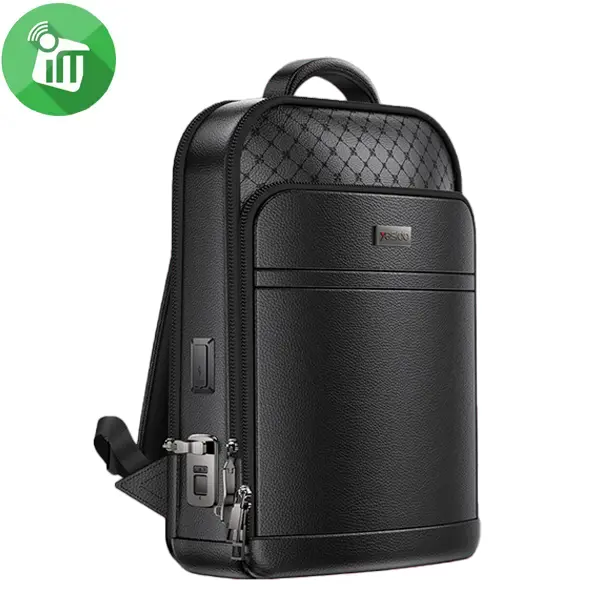 Bags, Exclusive Products, Top Seller
Yesido WB59 Smart Leather Backpack with Fingerprint Lock
incase of installments will the official price
- Fingerprint Lock & Charging Ports Men Multi-Function 15.6 inch Laptop
- Premium Executive Business Travel Friendly Smart Backpack with USB Charging Ports & Fingerprint
- Smart Fingerprint Lock Only authorized fingerprints can open the bag for secure access.
- Spacious interior fits laptops, books, and daily essentials.
- High-quality, wear-resistant, and splash-proof leather construction.
- Built-in Charging Ports Two 5V/2A output ports allow charging of devices on-the-go.
- Reliable Metal Zipper:Smooth and long-lasting for secure storage.
- Comfortable & Stylish Ergonomic design with adjustable straps in sleek black finish.
SKU: 6942314410806 -
Bags
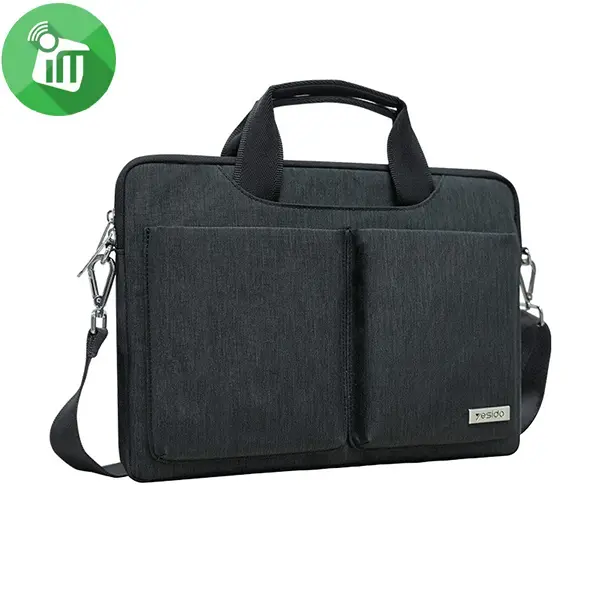
Yesido WB47 Business Large Capacity Laptop Sleeve (14-inch)
incase of installments will the official price
- 14-inch large capacity design easily fits laptops, chargers, tablets, and daily work accessories.
- High-density waterproof and anti-splash exterior keeps your electronics safe from rain and accidental spills.
- Soft interior fleece lining provides impact absorption and protects your device against scuffs and scratches.
- Sleek, professional look tailored for business meetings, office commutes, and corporate environments.
- Sturdy top handles allow for a comfortable, reliable hand-held grip throughout the day.
- Multiple extra pockets keep your phone, keys, cables, and pens organized and easy to reach.
SKU: 6942314403082 -
Bags
JCPAL MacBook 15-inch Neoprene Classic Sleeve
incase of installments will the official price
- Compact, lightweight, super durable, fashionable
- Can bring a Macbook alone or put it in a backpack very easily
- Features a form fitting neoprene construction
- simple and stylish JCPal Neoprene Classic sleeve
- padded interior to provide complete protection for your MacBook
SKU: n/a -
Bags, Exclusive Products
JCPAL MacBook 13-inch Neoprene Classic Sleeve
incase of installments will the official price
- Available in: Green/Black, Grey/Black, Blue/Black
- For The New Macbook 13 inch
- Anti-shock, anti-impact, absolute scratches for Macbook
- Compact, lightweight, super durable, fashionable
- Can bring a Macbook alone or put it in a backpack very easily
SKU: n/a -
KeyBoards, Mouse & Trackpad
Logitech MK250 Wireless Keyboard-AR Mouse Combo
incase of installments will the official price
24 months warranty
- Smart Bluetooth Connectivity: Works completely dongle-free to save your USB ports.
- Compact Full-Size Layout: Space-saving keyboard featuring a numeric pad and 7° tilt legs.
- Ambidextrous Mouse: Comfortable for both hands with precise 1,000 DPI optical tracking.
- 12-Month Battery Life: Ultra-low power consumption lasts up to one year for both devices.
- Spill-Resistant Build: Durable design engineered to withstand accidental liquid spills.
- Eco-Friendly Materials: Made using over 64% certified post-consumer recycled plastic.
- Cross-OS Compatibility: Pairs seamlessly with Windows, macOS, and ChromeOS devices.
SKU: 5099206130784 -
Mouse & Trackpad
Logitech G309 LightSpeed Wireless Gaming Mouse
incase of installments will the official price
24 months warranty
- Sensor Technology: Equipped with the flagship HERO 25K sensor, delivering sub-micron precision tracking up to 25,600 DPI.
- Wireless Protocols: Features ultra-low latency LIGHTSPEED wireless alongside a secondary Bluetooth mode for universal device swapping.
- Switch Type: Employs LIGHTFORCE hybrid optical-mechanical switches for crisp tactile clicks with near-instantaneous optical actuation.
- Battery Life: Offers up to 300 hours of continuous gameplay on a single AA battery via LIGHTSPEED, or up to 600 hours via Bluetooth.
- Physical Weight: Weighs just 86 grams with an alkaline AA battery installed, which drops down to a featherlight 68 grams when powered battery-free
SKU: 5099206117846 -
KeyBoards
Logitech K250 Compact Wireless Keyboard-AR
incase of installments will the official price
24 months warranty
- Indicator Lights: Connectivity LED
- Special Keys: On/Off power buttons
- Additional Features: Tilt legs (for 7 degree typing angle)
- Layout: Compact layout with number pad
- Multi OS printed layout: Yes
- Battery type: Alkaline battery
- Battery life: 12 months
- Number of Batteries: 2xAAA (included)
- Connection Type: Long press On/Off power buttons for pairing
- Wireless technology: Bluetooth Low Energy Technology
- Wireless range: 10m
SKU: 5099206130432 -
KeyBoards, Original Products
Apple Magic Keyboard with Touch ID and Numeric Keypad for Mac models with Apple silicon (USB–C) Black – US English
-9%Quick View KeyBoards, Original Products
Apple Magic Keyboard with Touch ID and Numeric Keypad for Mac models with Apple silicon (USB–C) Black – US English
incase of installments will the official price
- Magic Keyboard is available with Touch ID
- providing fast, easy and secure authentication
- Magic Keyboard with Touch ID and Numeric Keypad
- Delivers a remarkably comfortable and precise typing experience
- It features an extended layout, with document navigation controls
- for quick scrolling and full-size arrow keys, which are great for gaming
- The numeric keypad is also ideal for spreadsheets and finance applications
SKU: 195949655630


Popular essentials for your laptop
-
Mounts & Holders
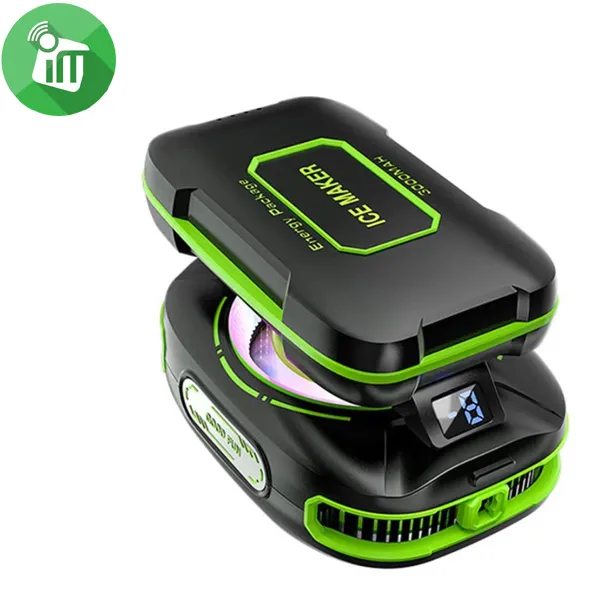
ICE Maker JS85 Magnetic Phone Cooler Semiconductor with Battery
incase of installments will the official price
- Intelligent Temperature Control Equipped with three-level
- With noise levels ≤30dB, this cooler operates silently
- Magnetic Attachment Features a convenient magnetic design
- Easy attachment and removal, ensuring a secure fit on your device
- Advanced Cooling Technology Utilizing semiconductor cooling technology
- AI smart temperature control and a digital temperature display for precise cooling management
- This phone cooler can achieve temperatures as low as 24-26℃, effectively preventing your device from overheating
SKU: 60124531 -
Hub
Belkin CONNECT USB-C 6-in-1 Multiport Adapter
- Connect a USB-C laptop or Macbook or iPhones or iPad to multiple devices.
- Expands USB-C port into an HDMI port, 2 USB-A 3.0 BC1.2.
- ports, Gigabit Ethernet port, SD card reader, and USB-C PD port.
- Power and charge high-power consumption devices like hard.
- drives, phones, and tablets with the USB-A 3.0 BC1.2 ports.
- AVC008BTSGY Supports pass-through charging up to 100W.
- Compact design gives easy mobility and reduces desktop clutter.
- 5 Gbps of bandwidth for quick data transfer between computer and peripherals.
- HDMI port supports up to 4K resolutions at 30Hz.
SKU: 745883819829 -
Hub
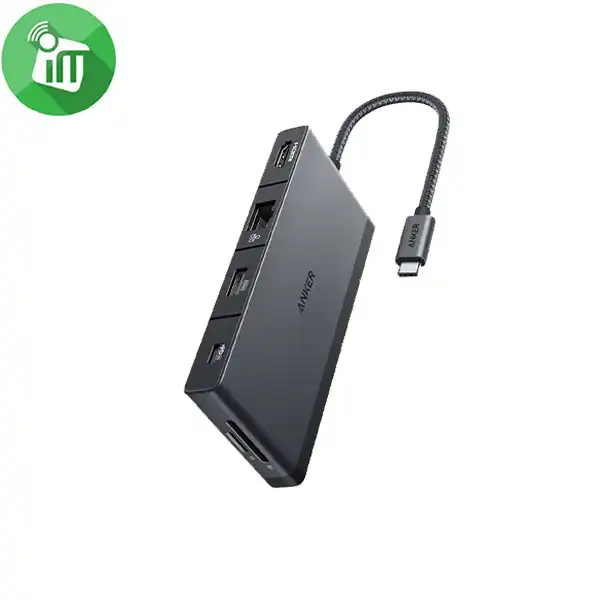
Anker A8373 552 USB-C Hub 9-in-1 4K HDMI (Series 5)
incase of installments will the official price
- Equipped with two 5 Gbps USB 3.0 data ports, two 480 Mbps USB-A ports
- 4K HDMI port, a 100W PD-IN port, an Ethernet port, and SD/microSD card slots.
- Use the HDMI port to connect to an external monitor and mirror or extend your display at up to 4K@30Hz.
- Transfer files to and from your laptop at speeds of up to 5 Gbps via the USB 3.0 USB-C
- USB-A data ports, or use the SD/microSD card slots to access photos and other media files at up to 104 MB/s.
- Supports up to 100W (minus 15W for operation) pass-through charging so you can power up your laptop while you use the hub.
SKU: 194644117474 -
Hub
Belkin USB-C 4-in-1 Multiport Adapter
incase of installments will the official price
- Turn a single USB-C port into an HDMI 1.4 port, 2 USB-A 3.0 BC1.2 ports, and a USB-C PD port.
- Connect to high-power consumption devices like hard drives, phones, and tablets with the adapter’s USB-A 3.0 BC1.2 ports.
- Access up to 4K resolutions (3840×2160 @ 30Hz) through the HDMI port.
- Supports pass-through charging up to 100W.
- Compact design gives easy mobility and reduces desktop clutter.
- Fast data transfer between computer and peripherals with up to 5 Gbps of bandwidth.
SKU: 745883819805


There are no reviews yet.