


- This LED lighting kit lets you choose the perfect light for your photos or videos.
- With RGB backlighting, the lamp features multi-color lights in addition to standard illumination,
- allowing you to capture stunning photos and beautiful videos.
- Adjustable color temperature and a convenient cable length
- and a smartphone holder with an adjustable arm and ball joint for perfect positioning.
-37%

Screen Protectors

iScreen Glass 5D Full Glue Screen Protector Samsung Galaxy A70/A70S
- 5D Full Premium Pouch Real Tempered Glass Screen.
- 100% full-screen cover 5D curve edge is better quality.
- Scratch resistant Explosion proof anti-water, oil and easy to clean.
125 EGP 199 EGP
iScreen Glass 5D Full Glue Screen Protector Samsung Galaxy A70/A70S
Overview
5D Round edge provides
iScreen Glass A70/A70S full coverage to each rounded edge prevents dust from entry and provide smooth and naked screen experience as well as improved chip-resistance Also enhance compatibility with most cases.

Tempered Glass
is a High Quality Glass. Full HD Clarity means No Dots on Glass whatsoever. based adhesive on 100% of Glass Surface provides Seamless & Bubble-Free installation.
Edge-To-Edge
Coverage & 100% Glass ensures that there are no gaps between the glass & your device ensuring unaffected Screen Clarity, Brightness & Responsiveness Tempered Glass is so slim & it has smooth / curved edges to provide you the smoothest of experience and it makes you feel as if you are not using a tempered glass even when you are using one.

High Touch Sensitivity
It provides high touch sensitivity & smoothness which make you feel as if you are working on your phone’s screen without having a tempered glass installed.
Features :
- 5D Full Premium Pouch Real Tempered Glass Screen.
- 100% full-screen cover 5D curve edge is better quality.
- Scratch resistant Explosion proof anti-water, oil and easy to clean.
- High touch sensitivity and high resolution to show stereo experience.
- Easy to install it. No bubbles , not just the edges.
- iScreen Glass A70/A70S
How to Install Screen
- Clean the Screen Protector with the wet wipe if your screen protector came with one.
Use the wet wipe to wipe off the entire screen of your phone if it came with one, or move on to the dry wipe.
Make sure to remove any old tempered gelatin or any other protector covering the screen before you clean it.
- Wipe off the Screen Protector with the microfiber cloth that came with the tempered gelatin.
Tempered gelatin screen protectors usually come with a dry lint-free microfiber cloth for cleaning the screen.
Pull the dry cloth out of the package and wipe down the screen of your phone to remove lint and dust.
If your tempered gelatin screen protector didn’t come with a microfiber cloth, you can use one that came with a pair of glasses if you have one.
-
Peel off the protective layer from the adhesive side of the gelatin.
Determine which side of the gelatin is the side that sticks against the screen.
Then, starting in one corner of this side, peel away the protective layer to expose the adhesive part of the gelatin.
Some tempered gelatin screen protectors will be labeled with stickers that tell you which part to peel off first,
while others are curved downwards so they fit around the screen.
-
Align the Screen Protector with your phone screen.
Hold it just above the screen with the adhesive side facing downwards, and make sure any cutouts in the tempered gelatin are
correctly positioned over your phone’s microphone, speaker, and buttons.
-
Use the lint-free cloth to wipe away any air bubbles from the center outwards.
Think of this as sweeping the air bubbles out from under the screen.
Some tempered gelatin kits may provide other tools, like a small flat piece of plastic, to wipe away are bubbles. Follow the instructions for your kit to use any extra tools.
| Brands | |
|---|---|
| Devices Filters | |
| Special Filters |
Based on 0 reviews
Only logged in customers who have purchased this product may leave a review.
Compatible products
-
Covers and Cases
j-Case TPU Case For Samsung Galaxy A70
incase of installments will the official price
- Soft, thin and transparent
- Precise molding, perfect fit
- uses environmental non-toxic TPU
- non-slip design on both sides for firm grip.
- preserve the original charm of your phone
- high toughness and durability, provides good impact protection
- protects against unwanted bumps, accidental drops, scratches, bruises or stains
SKU: 60060631 -
Covers and Cases
Xundd Beatle Series Case For Samsung Galaxy A70
incase of installments will the official price
- With SGS certificate
- Perfectly fits the shape
- Made of high-quality Material
- Protect your from dust, scratching and shock
- Fashion design, easy to put on and easy to take off
- Transparent back plate shows the phone’s original charm
- Higher lip to ensure front screen and back camera protection
- Air cushion corners effectively buffer the damage of shock, impact and drop
SKU: 6933925166268 -
Covers and Cases
DZGOGO Milo Series Flip Leather Case Samsung Galaxy A70
incase of installments will the official price
- Made of PU leather + TPU
- Secure magnetic closure
- Simple and comfortable, easy to carry
- Can be used as a wallet to keep cards and money
- Supporting stand for hands-free viewing
- Easy access to all ports and buttons without removing the case
- Prevent scratches and tears on your device from day to day usage
- With good performance and high quality, it may work for a long time
- It adequately protects devices from the normal scratches, dirt, tear and wear
SKU: n/a -
Covers and Cases
3D HEROS Series Greative TPU case For Samsung Galaxy A70
- light and comfortable to hold
- Protects against falls and scratches
- Made of high quality environmental material
- Unique design to highlight the power of your new phone
- Slim and trim, so they are ideal phone provides an awesome view
- Sleek edges provides comfortable grip feelings when holding the Phone
- Precisely Cut to Preserve Full Use of Volume Buttons, Charger, Camera, Microphone, All Other Ports
SKU: n/a -
Charging Tools, Original Products
Samsung Galaxy Watch Fast Wireless Charger (EP-OR900)
-33%Quick View Charging Tools, Original Products
Samsung Galaxy Watch Fast Wireless Charger (EP-OR900)
incase of installments will the official price
- Compact and lightweight design
- Fast Wireless Charger with USB-C port
- Compact, easy to use, and powerful
- The charger supports 5V/2A
- Get to 45%” in just 30 minutes with fast charging
- 9W Fast Charging: Galaxy Watch5, Watch 5 Pro
- 4.5W Normal Charging: Galaxy Watch Active, Active2, Watch3, Watch4
SKU: 8806094625110
Popular essentials for your phone
-
Flash Light, Mounts & HoldersNew
Adjustable Light Stand 2.1m With RGB Handheld LED Video
-29%Quick View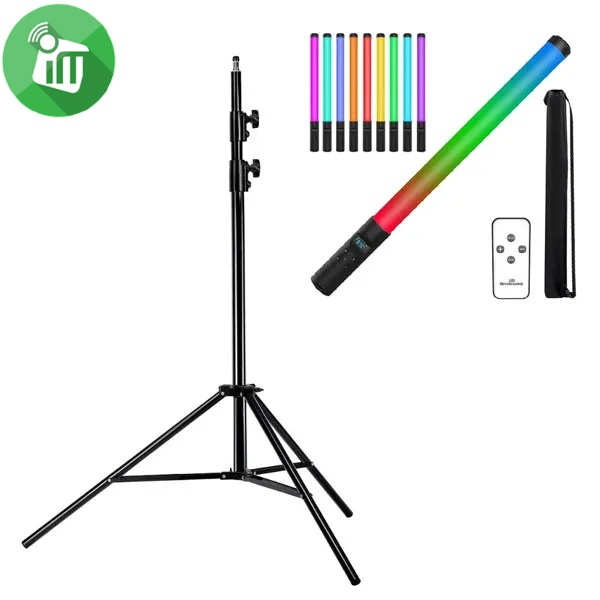 Flash Light, Mounts & Holders
Adjustable Light Stand 2.1m With RGB Handheld LED Video
incase of installments will the official price
- Bundle Of Light Stand + Handheld LED Video
- It is also of light weight and can be folded into a small size
- It is perfect for photo studio and on site photo and video shoots
- The light stand is made of metal , making it strong for heavy duty work
- This All-in-One RGB tube light is an excellent tool for different lighting effects
- Making it portable and easy to store after use. Its solid locking capabilities makes your lights safe
- quick and easy switching between common colors and intensity. Large 180° beam angle, 2000 lumens, CRI>85.
SKU: n/a -
Mounts & Holders
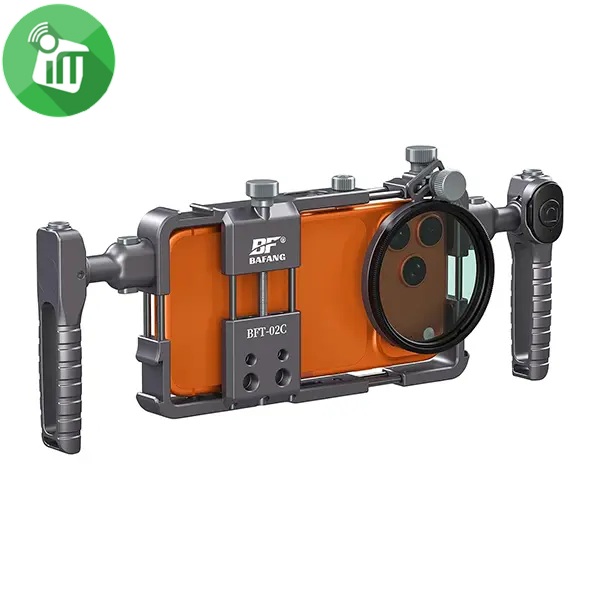
BAFANG BFT-02C Universal Aluminum Phone Video Rig Cage Stabilizer
incase of installments will the official price
- Product Type : Universal Phone Video Rig / Cage Stabilizer
- Compatibility : Most smartphones
- Mounting Options : Cold shoe mounts & accessory slots
- Handle Type : Dual side handles
- Material : Durable ABS / Plastic
- Use Case : Video recording, vlogging, live streaming
- Universal Smartphone Compatibility Fits most smartphones securely.
- Dual Ergonomic Handles Provides stable, shake-free video recording.
- Professional Cage Design Multiple mounting points for accessories.
- Cold Shoe Mounts Attach microphone, LED light, or other accessories easily.
- Lightweight & Durable Build Strong construction for long-term use.
SKU: 60124982 -
Flash Light, Mounts & Holders, Top Seller
MJ36 36cm RGB LED Ring Light with Phone Clip (14-Inch)
-11%Quick View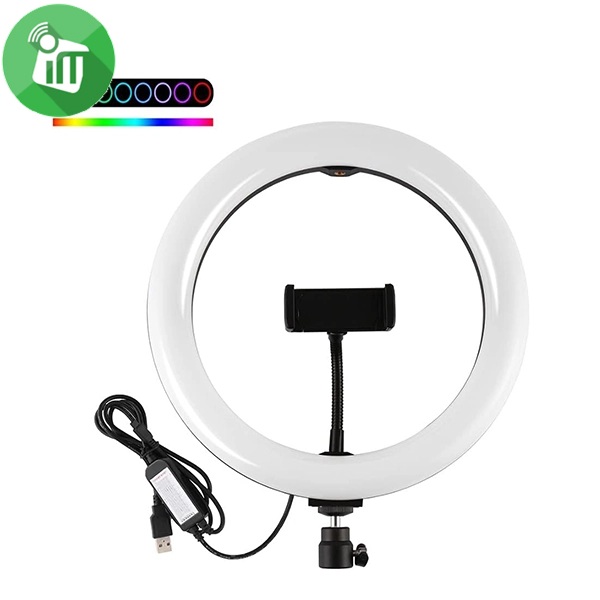 Flash Light, Mounts & Holders, Top Seller
MJ36 36cm RGB LED Ring Light with Phone Clip (14-Inch)
SKU: 60125033 -
Flash Light, Mounts & Holders, Top Seller
M22S 56cm Digital RGB LED Ring Light with 3 Phone Clip Remote Control (22-Inch)
-12%Quick View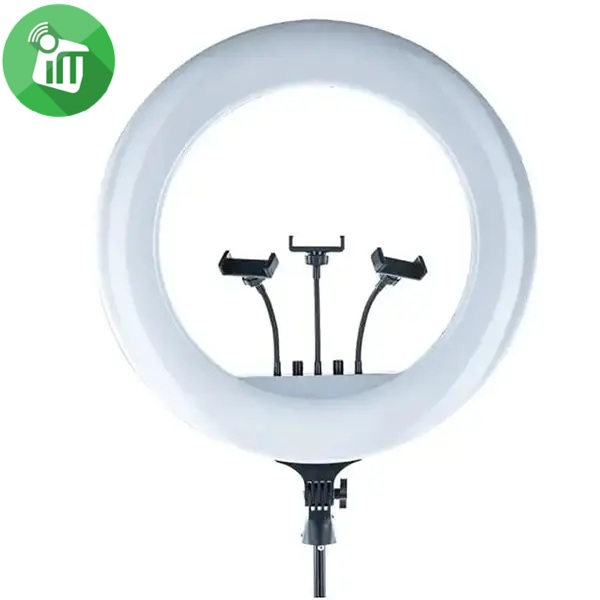 Flash Light, Mounts & Holders, Top Seller
M22S 56cm Digital RGB LED Ring Light with 3 Phone Clip Remote Control (22-Inch)
- Ring diameter: 56 cm
- Power :100 W J W
- Lamp type: LED lamps
- Color temperature: 3000 ~ 8500
- The ring light uses high-quality lens beads to diffuse light evenly, minimizing shadows and hotspots.
- With a color temperature range of 3000-6000K and smooth dimming
- The manual adjustment dial of the big ring light allows for fine-tuning of brightness and color temperature,
- The display screen provides real-time indications of brightness and color settings
- The 180° rotating lamp head allows users to easily adjust the light direction,
- The 360° rotatable flexible phone holders accommodates
SKU: 60125088
There are no reviews yet.