

- This LED lighting kit lets you choose the perfect light for your photos or videos.
- With RGB backlighting, the lamp features multi-color lights in addition to standard illumination,
- allowing you to capture stunning photos and beautiful videos.
- Adjustable color temperature and a convenient cable length
- and a smartphone holder with an adjustable arm and ball joint for perfect positioning.
-12%

Screen Protectors

KuZoom 20 Degree Large Arc Privacy Glass Screen iPhone 17/16 Pro
Availability:
10 in stock
incase of installments will the official price
- •20° Privacy Filter Limits the viewing angle so the screen is only clearly
- Keeping your screen content private when in public
- Made of tempered glass with 9H hardness for scratch resistance.
- Maintains touchscreen clarity and sensitivity while protecting the display.
- Oleophobic and anti-fingerprint coating to reduce smudges.
- Protecting your iPhone’s display from scratches and everyday damage
- A more edge-to-edge feel with curved-edge design
- Fingerprint-resistant surface during regular use
399 EGP 455 EGP
10 in stock
KuZoom 20 Degree Large Arc Privacy Glass Screen iPhone 17/16 Pro
Overview
20° Anti-Peep Privacy Filter
Designed with a narrow 20-degree viewing angle, ensuring your screen is visible only when viewed straight on. Blocks side-view visibility to protect sensitive information in public spaces, offices, and transport.

Large Arc Edge Design
Precision-cut 3D curved edges match the natural contour of your device. Smooth, rounded edges reduce friction, improve grip comfort, and prevent edge lifting or cracking.
9H Premium Tempered Glass
High-grade toughness resists scratches from keys, coins, and sharp objects. Impact-resistant structure helps absorb shocks from accidental drops.

Ultra-Clear Direct View
Crystal-clear clarity when viewed straight on—privacy protection does not reduce front-view brightness. Maintains true colors, sharpness, and touchscreen responsiveness.
Oleophobic & Anti-Fingerprint Coating
Resists smudges, fingerprints, and oil buildup Easy to clean and keeps the screen looking new.

Bubble-Free Easy Installation
Comes with alignment tools and adhesive layer for seamless installation. Automatically attaches with strong edge bonding for long-lasting hold
Features:
- •20° Privacy Filter Limits the viewing angle so the screen is only clearly
- Keeping your screen content private when in public
- Made of tempered glass with 9H hardness for scratch resistance.
- Maintains touchscreen clarity and sensitivity while protecting the display.
- Oleophobic and anti-fingerprint coating to reduce smudges.
- Protecting your iPhone’s display from scratches and everyday damage
- A more edge-to-edge feel with curved-edge design
- Fingerprint-resistant surface during regular use
- KuZoom 20 iPhone 17
How to Install Screen
- Clean the Screen Protector with the wet wipe if your screen protector came with one.
Use the wet wipe to wipe off the entire screen of your phone if it came with one, or move on to the dry wipe.
Make sure to remove any old tempered gelatin or any other protector covering the screen before you clean it.
- Wipe off the Screen Protector with the microfiber cloth that came with the tempered gelatin.
Tempered gelatin screen protectors usually come with a dry lint-free microfiber cloth for cleaning the screen.
Pull the dry cloth out of the package and wipe down the screen of your phone to remove lint and dust.
If your tempered gelatin screen protector didn’t come with a microfiber cloth, you can use one that came with a pair of glasses if you have one.
-
Peel off the protective layer from the adhesive side of the gelatin.
Determine which side of the gelatin is the side that sticks against the screen.
Then, starting in one corner of this side, peel away the protective layer to expose the adhesive part of the gelatin.
Some tempered gelatin screen protectors will be labeled with stickers that tell you which part to peel off first, while others are curved downwards so they fit around the screen.
Look for indicators like these to determine which side should be placed against the screen.
-
Align the Screen Protector with your phone screen.
Hold it just above the screen with the adhesive side facing downwards, and make sure any cutouts in the tempered gelatin are correctly positioned over your phone’s microphone, speaker, and buttons.
-
Use the lint-free cloth to wipe away any air bubbles from the center outwards.
Think of this as “sweeping” the air bubbles out from under the screen.
Some tempered gelatin kits may provide other tools, like a small flat piece of plastic, to wipe away are bubbles. Follow the instructions for your kit to use any extra tools.
| Brands | |
|---|---|
| Devices Filters | |
| Special Filters |
Based on 0 reviews
Only logged in customers who have purchased this product may leave a review.
Compatible products
-
Covers and Cases
Xundd Mio KOKO Hidden Holder Magnetic Case iPhone 17
incase of installments will the official price
- Made of high-quality Material
- Protect your from dust, scratching and shock
- Fashion design, easy to put on and easy to take off
- Transparent back plate shows the phone’s original charm.
- Higher lip to ensure front screen and back camera protection.
- Air cushion corners effectively buffer the damage of shock, impact and drop
- Makes it more convenient to use with various accessories that have magnets
SKU: 6941383332712 -
Covers and Cases
Xundd ProShield Series MagSafe Case iPhone 17
incase of installments will the official price
- Made of high-quality Material
- Protect your from dust, scratching and shock
- Fashion design, easy to put on and easy to take off
- Transparent back plate shows the phone’s original charm.
- Higher lip to ensure front screen and back camera protection.
- Air cushion corners effectively buffer the damage of shock, impact and drop
- Makes it more convenient to use with various accessories that have magnets
SKU: 6933925157129 -
Covers and Cases
Xundd Beetle 2.8mm Series Case iPhone 17
incase of installments will the official price
- Made of high-quality Material
- Magnetic is a shockproof back case with a transparent PC
- There is an additional metal band on the back cover of the case.
- Protect your from dust, scratching and shock
- Fashion design, easy to put on and easy to take off
- Transparent back plate shows the phone’s original charm.
- Higher lip to ensure front screen and back camera protection.
- Air cushion corners effectively buffer the damage of shock, impact and drop
- Makes it more convenient to use with various accessories that have magnets
SKU: n/a -
Covers and Cases
Xundd Skin Matte MagSafe With Camera Holder iPhone 17
incase of installments will the official price
- 10-foot Drop Protection.
- Raised bezels to offer protection for screen and camera.
- Works with Apple MagSafe technology for faster and easier charging.
- Built-in Kickstand for you to watch videos and movies with enviable comfort.
- Easy access to all the controls and features; perfect cutouts for speakers, camera, and other ports.
SKU: 6933925164967 -
Charging Tools, Original Products
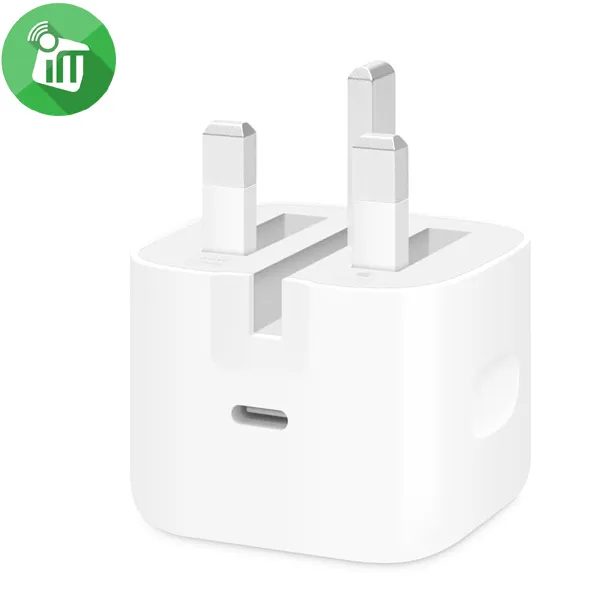
Apple 40W Dynamic Power Adapter with 60W Max (UK)
incase of installments will the official price
- Compact and lightweight design ideal for travel
- Up to 60W maximum output for larger Apple devices.
- Intelligent power distribution for multi-device compatibility
- Built-in safety features to prevent overheating and overcharging
- Dynamic 40W charging with automatic adjustment based on device needs
SKU: 195950674019 -
Charging Tools, Original Products, Top Seller
Apple 40W Dynamic Power Adapter with 60W Max (US)
-25%Quick View Charging Tools, Original Products, Top Seller
Apple 40W Dynamic Power Adapter with 60W Max (US)
incase of installments will the official price
- Dynamic 40W charging with automatic adjustment based on device needs.
- Up to 60W maximum output for larger Apple devices.
- Intelligent power distribution for multi-device compatibility.
- Compact and lightweight design ideal for travel.
- Built-in safety features to prevent overheating and overcharging
SKU: 195950665932
Popular essentials for your phone
-
Flash Light, Mounts & HoldersNew
Adjustable Light Stand 2.1m With RGB Handheld LED Video
-29%Quick View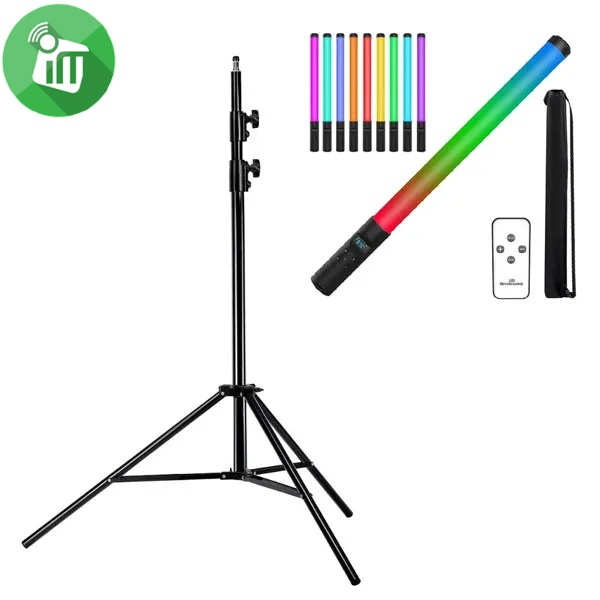 Flash Light, Mounts & Holders
Adjustable Light Stand 2.1m With RGB Handheld LED Video
incase of installments will the official price
- Bundle Of Light Stand + Handheld LED Video
- It is also of light weight and can be folded into a small size
- It is perfect for photo studio and on site photo and video shoots
- The light stand is made of metal , making it strong for heavy duty work
- This All-in-One RGB tube light is an excellent tool for different lighting effects
- Making it portable and easy to store after use. Its solid locking capabilities makes your lights safe
- quick and easy switching between common colors and intensity. Large 180° beam angle, 2000 lumens, CRI>85.
SKU: n/a -
Mounts & HoldersNew
BAFANG BFT-02C Universal Aluminum Phone Video Rig Cage Stabilizer
-12%Quick View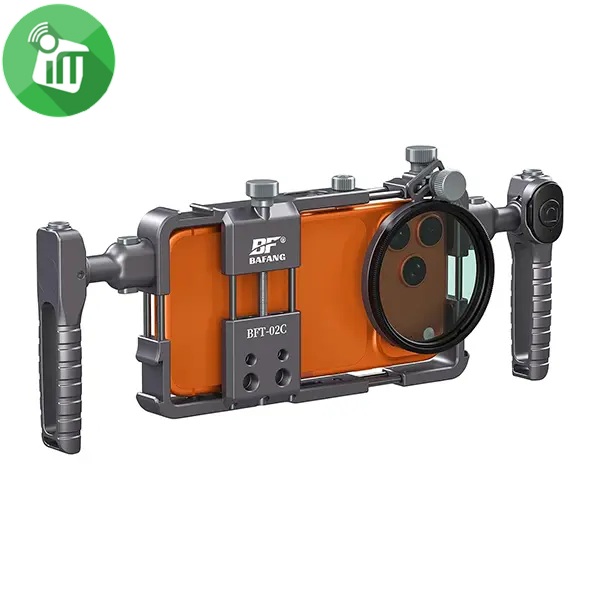 Mounts & Holders
BAFANG BFT-02C Universal Aluminum Phone Video Rig Cage Stabilizer
incase of installments will the official price
- Product Type : Universal Phone Video Rig / Cage Stabilizer
- Compatibility : Most smartphones
- Mounting Options : Cold shoe mounts & accessory slots
- Handle Type : Dual side handles
- Material : Durable ABS / Plastic
- Use Case : Video recording, vlogging, live streaming
- Universal Smartphone Compatibility Fits most smartphones securely.
- Dual Ergonomic Handles Provides stable, shake-free video recording.
- Professional Cage Design Multiple mounting points for accessories.
- Cold Shoe Mounts Attach microphone, LED light, or other accessories easily.
- Lightweight & Durable Build Strong construction for long-term use.
SKU: 60124982 -
Flash Light, Mounts & Holders, Top SellerNew
MJ36 36cm RGB LED Ring Light with Phone Clip (14-Inch)
-11%Quick View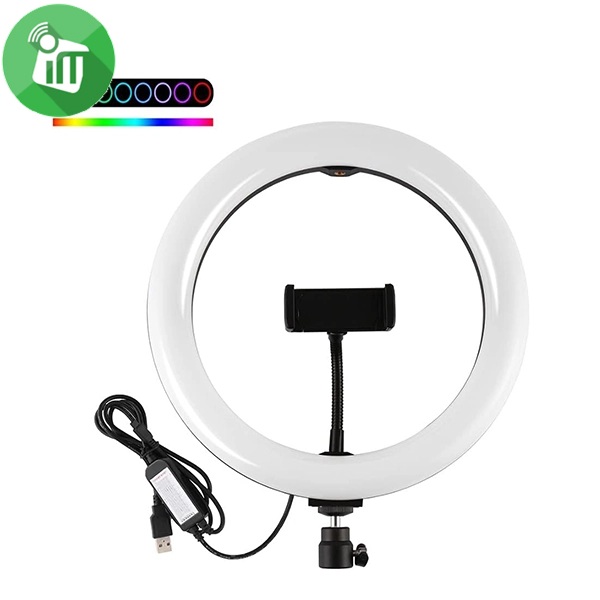 Flash Light, Mounts & Holders, Top Seller
MJ36 36cm RGB LED Ring Light with Phone Clip (14-Inch)
SKU: 60125033 -
Flash Light, Mounts & Holders, Top SellerNew
M22S 56cm Digital RGB LED Ring Light with 3 Phone Clip Remote Control (22-Inch)
-12%Quick View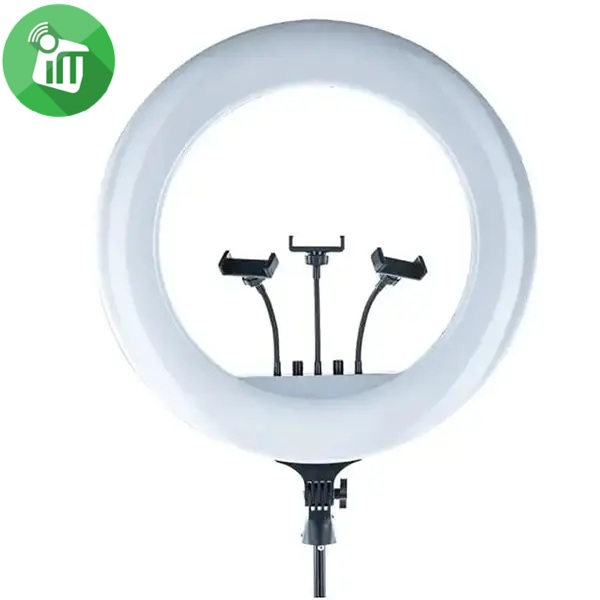 Flash Light, Mounts & Holders, Top Seller
M22S 56cm Digital RGB LED Ring Light with 3 Phone Clip Remote Control (22-Inch)
- Ring diameter: 56 cm
- Power :100 W J W
- Lamp type: LED lamps
- Color temperature: 3000 ~ 8500
- The ring light uses high-quality lens beads to diffuse light evenly, minimizing shadows and hotspots.
- With a color temperature range of 3000-6000K and smooth dimming
- The manual adjustment dial of the big ring light allows for fine-tuning of brightness and color temperature,
- The display screen provides real-time indications of brightness and color settings
- The 180° rotating lamp head allows users to easily adjust the light direction,
- The 360° rotatable flexible phone holders accommodates
SKU: 60125088
There are no reviews yet.