

Mocoll Golden Shield Series 2.5D Full Cover Screen iPhone 16 Pro Max

5 in stock
incase of installments will the official price
- Full-cover 2.5D curved tempered glass protector
- High clarity & smooth touch, keeps your screen sharp and responsive.
- Oleophobic coating reduces fingerprints and smudges.
- Includes easy-install kit (cloth, wipes, dust remover).
499 EGP 570 EGP
5 in stock
Mocoll Golden Shield Series 2.5D Full Cover Screen iPhone 16 Pro Max
Overview
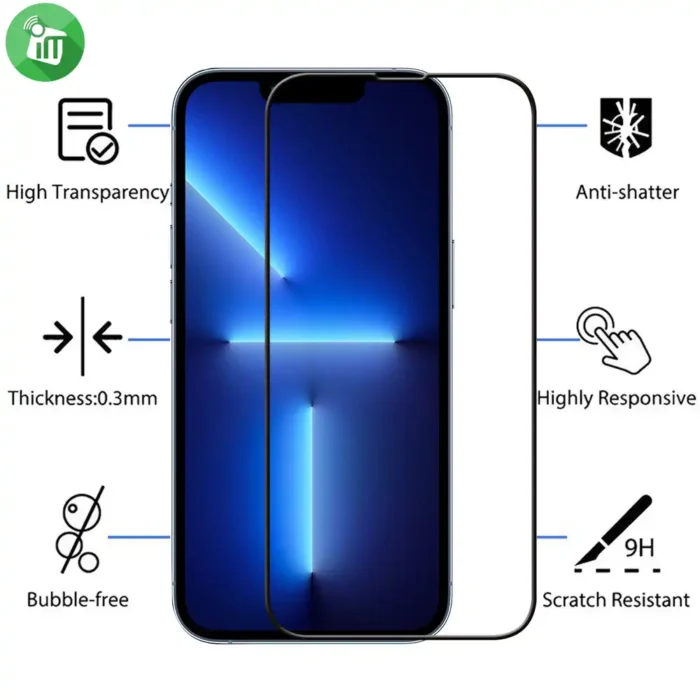
Smooth 2.5D Rounded Edges
Rounded glass edges provide a comfortable feel and seamless integration with the curved edges of the iPhone screen.

Full-Coverage Protection
Designed to cover the entire front display of your iPhone 16 Pro Max with a 2.5D curved-edge tempered glass, offering edge-to-edge protection from scratches and minor drops.
High Hardness & Durability
Made from 9H hardness tempered glass — one of the hardest protective glass levels which helps protect against daily wear, keys, coins, and other scratch-causing objects.

High Clarity & Touch Sensitivity
Ultra-clear transparency light transmittance) provides a sharp, crisp viewing experience and ensures smooth, unimpeded touch responsiveness (including fingerprint unlock and smooth scrolling).
Oleophobic & Anti-Fingerprint Coating
The surface is engineered to resist fingerprints, oil smudges, and dirt making it easier to clean and keeping your display clearer for longer.
Easy Installation
Full cover” design usually comes with installation accessories like a wet wipe, microfiber cloth, and dust remover to help apply the protector without bubbles or debris trapped underneath.
Features:
- Full-cover 2.5D curved tempered glass protector
- High clarity & smooth touch, keeps your screen sharp and responsive.
- Oleophobic coating reduces fingerprints and smudges.
- Includes easy-install kit (cloth, wipes, dust remover).
- Mocoll Golden 16 Max
How to Install Screen Protector For iPhone 16 Pro Max
-
Clean the Screen Protector with the wet wipe if your screen protector came with one.
Use the wet wipe to wipe off the entire screen of your phone if it came with one, or move on to the dry wipe. Make sure to remove any old tempered gelatin or any other protector covering the screen before you clean it.
-
Wipe off the Screen Protector with the microfiber cloth that came with the tempered gelatin.
Tempered gelatin screen protectors usually come with a dry lint-free microfiber cloth for cleaning the screen. Pull the dry cloth out of the package and wipe down the screen of your phone to remove lint and dust.
-
Peel off the protective layer from the adhesive side of the gelatin.
Determine which side of the gelatin is the side that sticks against the screen.
Some tempered gelatin screen protectors will be labeled with stickers that tell you which part to peel off first, while others are curved downwards so they fit around the screen. Look for indicators like these to determine which side should be placed against the screen.
-
Align the Screen Protector with your phone screen.
Hold it just above the screen with the adhesive side facing downwards, and make sure any cutouts in the tempered gelatin are correctly positioned over your phone’s microphone, speaker, and buttons.
-
Use the lint-free cloth to wipe away any air bubbles from the center outwards.
Think of this as “sweeping” the air bubbles out from under the screen.
Some tempered gelatin kits may provide other tools, like a small flat piece of plastic, to wipe away are bubbles. Follow the instructions for your kit to use any additional tools.
| Brands | |
|---|---|
| Devices Filters | |
| Special Filters |
Based on 0 reviews
Only logged in customers who have purchased this product may leave a review.
Compatible products
-
Covers and Cases, Screen Protectors
Xundd Zero Sense Diamond MagSafe Holder Series Case iPhone 16 Pro Max (With Glass Screen)
-5%Quick View Covers and Cases, Screen Protectors
Xundd Zero Sense Diamond MagSafe Holder Series Case iPhone 16 Pro Max (With Glass Screen)
incase of installments will the official price
- premium, fashionable look to your iPhone 16.
- 360° Rotating Ring Holder Functions as both a stand and grip for comfortable handling and hands-free use.
- Dual-Layer Protection Made of durable TPU and PC materials for superior shock absorption and scratch resistance.
- Included Screen Protector Comes with a high-quality tempered glass screen protector for full-body protection.
- Slim & Lightweight Build Offers full protection without adding bulk — perfect for pockets and purses.
- Perfect Cutouts Ensures easy access to speakers, ports, cameras, and all buttons with precise alignment.
- Anti-Yellowing Technology Keeps your case crystal clear for a longer time, resisting discoloration.
- Wireless Charging Compatible Designed to support all MagSafe and Qi wireless chargers without removal.
- Luxury & Functionality Combined Ideal for those who love stylish accessories that enhance daily convenience.
SKU: 76933925124090 -
Covers and Cases
Xundd Skin Matte MagSafe With Camera Holder iPhone 16 Pro Max
incase of installments will the official price
- 10-foot Drop Protection.
- Works with Apple MagSafe technology for faster and easier charging.
- Built-in Kickstand for you to watch videos and movies with enviable comfort.
- Raised bezels to offer protection for screen and camera.
- Easy access to all the controls and features; perfect cutouts for speakers, camera, and other ports.
SKU: n/a -
Charging Tools, Original Products
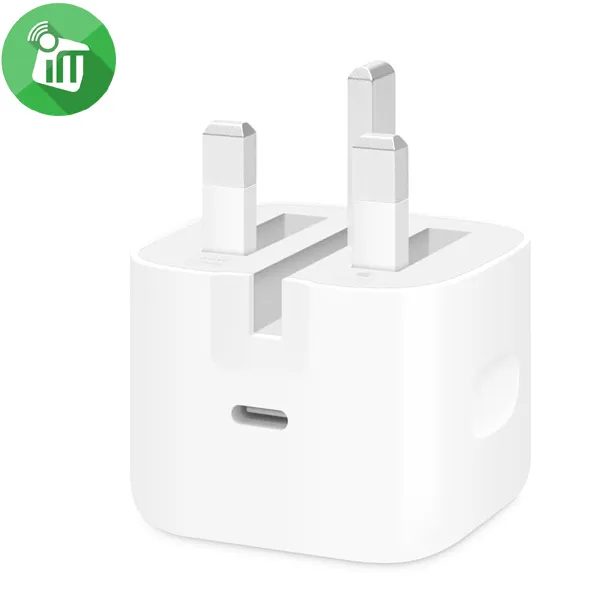
Apple 40W Dynamic Power Adapter with 60W Max (UK)
incase of installments will the official price
- Compact and lightweight design ideal for travel
- Up to 60W maximum output for larger Apple devices.
- Intelligent power distribution for multi-device compatibility
- Built-in safety features to prevent overheating and overcharging
- Dynamic 40W charging with automatic adjustment based on device needs
SKU: 195950674019 -
Charging Tools, Original Products, Top Seller
Apple 40W Dynamic Power Adapter with 60W Max (US)
-25%Quick View Charging Tools, Original Products, Top Seller
Apple 40W Dynamic Power Adapter with 60W Max (US)
incase of installments will the official price
- Dynamic 40W charging with automatic adjustment based on device needs.
- Up to 60W maximum output for larger Apple devices.
- Intelligent power distribution for multi-device compatibility.
- Compact and lightweight design ideal for travel.
- Built-in safety features to prevent overheating and overcharging
SKU: 195950665932 -
Cables
COTEetCI 87315 Thunderbolt 4 Full Function 8K/60Hz PD 100W Cable (3m)
incase of installments will the official price
- PD100W Quick Charge
- Multi-Screen Expansion Picture Sharing
- 7680*4320/8K/60Hz 3840*2160/4K/30Hz, 60Hz, 120Hz, 144Hz High Definition Screen
- 40Gbps High-Speed Transmission
- Transfer Files And Charge Anytime And Anywhere
SKU: 6973410730079 -
Cables
COTEetCI 87315 Thunderbolt 4 Full Function 8K/60Hz PD 100W Cable (2m)
incase of installments will the official price
- PD100W Quick Charge
- Multi-Screen Expansion Picture Sharing
- 7680*4320/8K/60Hz 3840*2160/4K/30Hz, 60Hz, 120Hz, 144Hz High Definition Screen
- 40Gbps High-Speed Transmission
- Transfer Files And Charge Anytime And Anywhere
SKU: 6973410730062



Popular essentials for your phone
-
Mounts & Holders
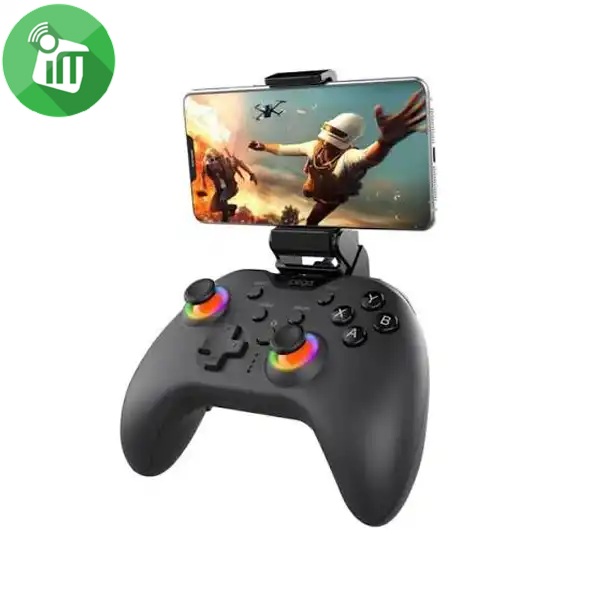
iPega PG-9111 Silent RGB Wireless Gaming Controller
- Quiet Buttons: Ultra-silent clicks so you can play without disturbing anyone around you.
- RGB Lighting: Colorful light rings around the joysticks.
- Wide Compatibility: Works with Android, iOS (MFi), PC, Nintendo Switch, PS3, PS4, and Smart TVs.
- Plug & Play: Direct connection with no complex setup or extra apps needed.
- Advanced Gaming Functions: Includes Macro button programming, Turbo rapid fire, and dual-motor vibration.
SKU: 6974363711603 -
-
-
There are no reviews yet.